unabletocopy error
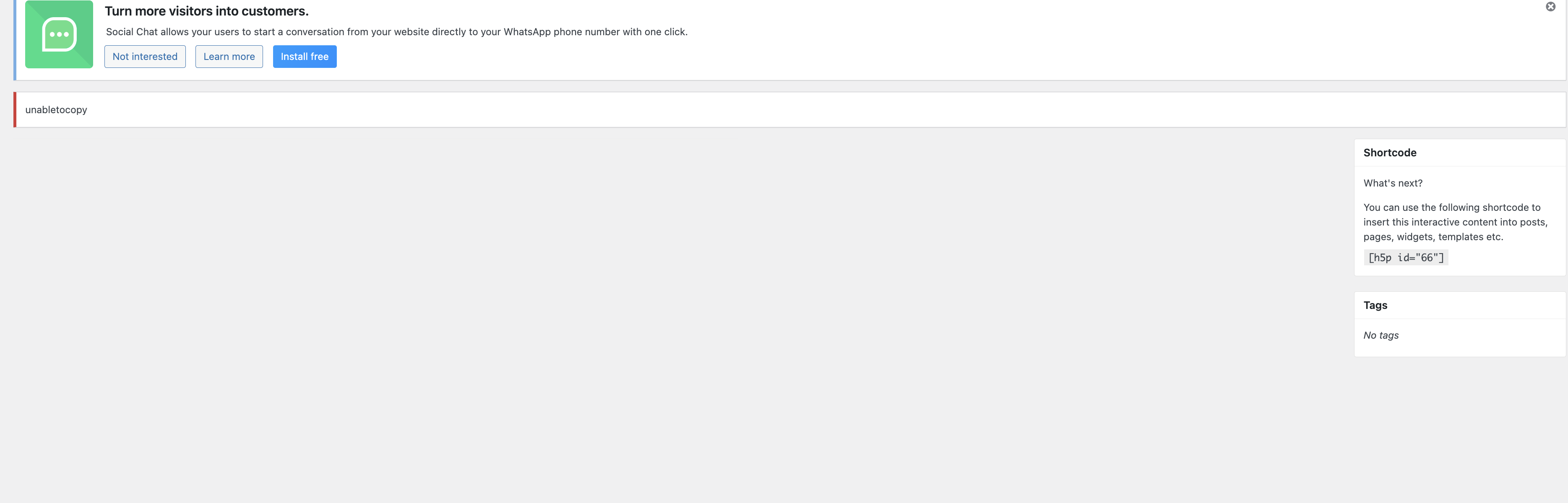
Issue: “unabletocopy” error when saving H5P content in WordPress
Environment
Platform: WordPress (admin dashboard)
Plugin: H5P
Context: Creating or editing an H5P content item
Editor view: H5P content editor with shortcode panel visible (
[h5p id="66"])
Problem Description
When attempting to save or interact with the H5P content editor, an error message appears at the top of the editor screen that reads:
unabletocopyThere is no additional error message, stack trace, or explanation provided in the UI.
Observed Behavior
The error appears inline at the top of the editor.
The editor itself loads, but the error prevents normal interaction (such as saving or copying content).
The shortcode panel still renders on the right side, suggesting the H5P item was partially created.
No browser pop-up, WordPress admin notice, or visible JavaScript error message is shown.
Expected Behavior
The H5P content should save normally.
Any copy-to-clipboard or save operation should either complete successfully or provide a descriptive error message.
Likely Meaning of the Error
The message unabletocopy appears to be:
A raw internal error key rather than a user-friendly message.
Likely related to a clipboard or copy operation failing (e.g., copying content, parameters, or metadata internally).
Possibly triggered by:
Browser clipboard permission restrictions
JavaScript errors not being surfaced properly
Plugin localization/translation strings missing
A conflict with another plugin or theme
WordPress REST API or nonce failure during save
What Has Been Tried / Noted
Page loads correctly otherwise.
No visible PHP or WordPress fatal errors.
Error persists across refresh.
Occurs inside the H5P editor, not elsewhere in WordPress.
Questions for the Community
Has anyone encountered the
unabletocopyerror in H5P before?Is this a known issue related to clipboard permissions or browser security?
Are there specific plugins known to conflict with H5P’s editor?
Where can more detailed logs for H5P editor errors be found (JS console vs. server logs)?
Is this error tied to a specific H5P content type or recent WordPress update?
Optional extra (if you want better responses)
If posting on GitHub or the H5P forum, also include:
WordPress version
H5P plugin version
Browser + version
Whether this happens in an incognito window
Any JavaScript console errors (even if unrelated)
If you want, I can:
Rewrite this for GitHub Issues format
Shorten it for WordPress.org plugin forums
Help you identify what console log to capture so you get faster answers


otacke
Sat, 12/27/2025 - 14:10
Permalink
It's nice that you want to
It's nice that you want to help by using an AI to assess the situation, but unfortunately this rather prevents developers/admins from finding the cause due to all the verbosity and wrong assumptions than people need to dig through. Following https://snordian.de/2024/02/17/how-can-i-craft-an-effective-bug-report-for-h5p-components/ is usually a better idea.
unabletocopy is an indeed not well phrased error message that is emitted when H5P core fails to copy a file or directory during operations like installing or updating a library or saving content. I'd suspect some of the related folders involved not being writable by the server. Could be insufficient permissions or quota limits, for instance, so you could check those.
Normally, you should find more detailed information in your PHP error log file, e.g. "Path is not a directory ..." or "Unable to write to ...' or "Unable to open directory ..."