Moodle - H5P interactive video error: Video format not supported.
Hello,
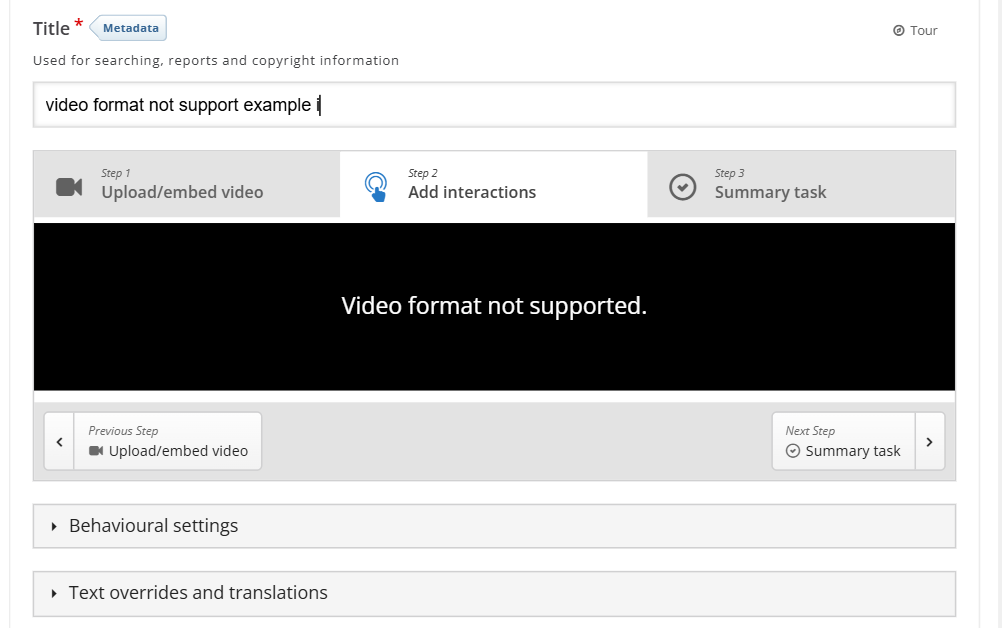
We're seeing a 'Video format not supported' in different course areas where H5P Interactive Videos have been used. It happens in Chrome, Edge and Firefox. (Please see attachment 1 of 2)
I also noticed that the issue does not occur in our test Moodle environment. I checked the relevant matching courses / course areas in our test Moodle environment, and the H5P interactive video content worked correctly.
Additional information via developer tools:
Access to script at 'https://dok.js-cdn...' from origin 'https://mymoodle...' has been blocked by CORS policy: No 'Access-Control-Allow-Origin' header is present on the requested resource.
-
It also happens when following the below steps:
- Visit a module page, enable 'Edit mode' > click + 'Add content' > 'Activity or resource'
- Via the Activity chooser, select 'H5P Interactive Content'
- Select 'Interactive video'
- 'Upload video file' and select/upload mp4 video
- 'Add interactions' - results in error (see attachment 2 of 2)
- Moodle version number: 4.5.10
- H5p version: mod_hvp (1.27.2) - 2024120900
Note: I downloaded and tested the 'MIB2 MP4 video files, VTT subtitle file' from: https://cdmdemo.contentdm.oclc.org/digital/collection/p15700coll2/custom...
Kind regards,
Ron A



otacke
Fri, 02/27/2026 - 16:54
Permalink
Access to script at 'https:/
Access to script at 'https://dok.js-cdn...' from origin 'https://mymoodle...' has been blocked by CORS policy: No 'Access-Control-Allow-Origin' header is present on the requested resource.
Are you sure that's related to the problem? Rather looks like some script cannot be loaded from a CDN because it requires proper headers to be sent. Having said that: I also downloaded the video from that site and can use it without any issues on https://sandbox.moodledemo.net/ and it also works when I use the video direct link (https://server15700.contentdm.oclc.org/dmwebservices/index.php?q=dmGetSt...)
Seems I can't help here.
Ron Anywar
Wed, 03/11/2026 - 16:19
Permalink
Many thanks otacke,It turned
Many thanks otacke,
It turned out a server configuration was required, it's now resolved.
Kind regards,
Ron