YouTube videos no longer render in H5P Video / Course Presentation – JavaScript error
YouTube videos no longer render in H5P Video / Course Presentation – JavaScript error
Platform: WordPress
H5P content: Course Presentation using H5P Video with YouTube sources
Site: First Aid for All, New Zealand
We have experienced a widespread failure of YouTube videos embedded within existing H5P Course Presentations.
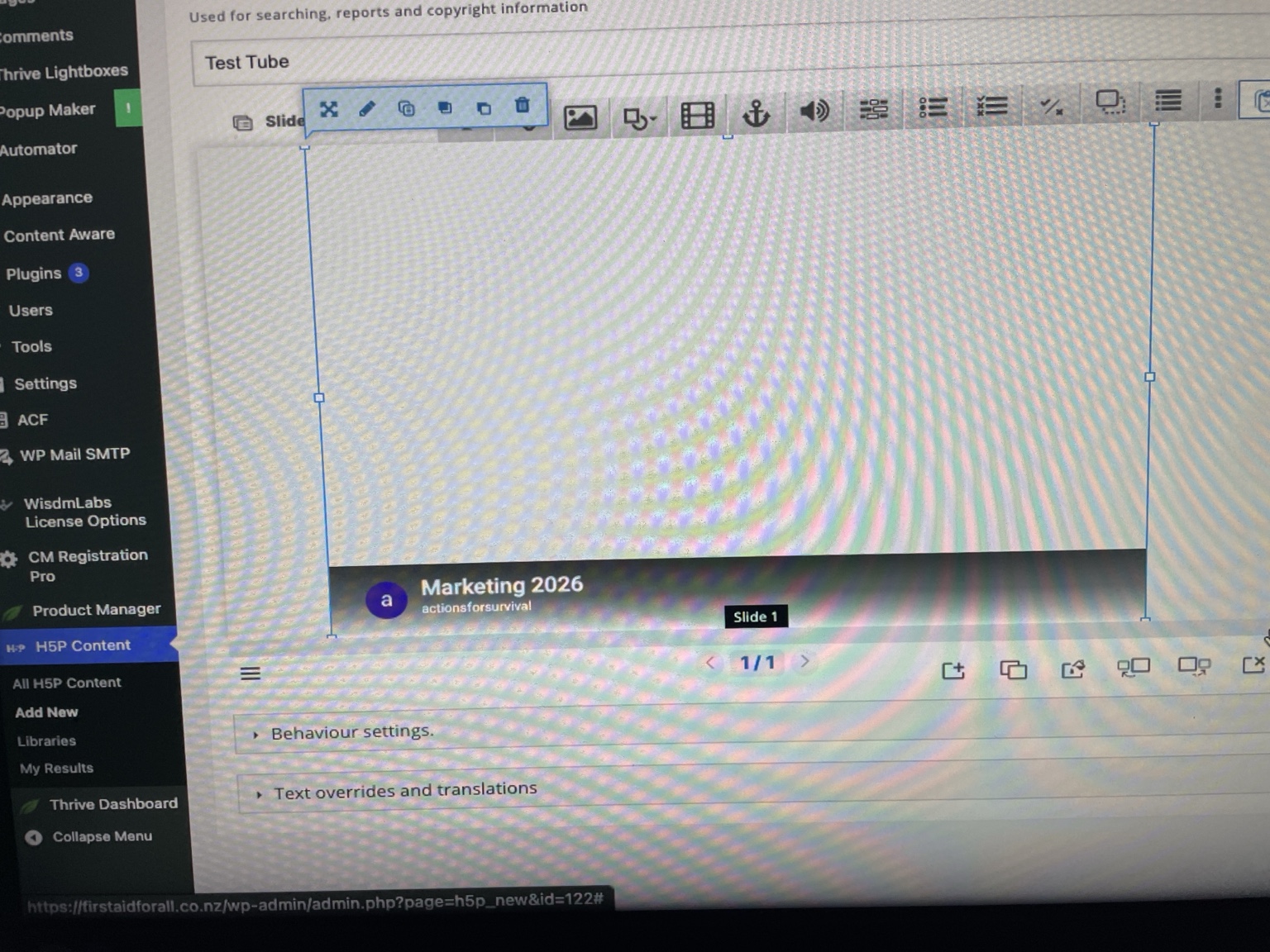
The H5P presentations and slides themselves continue to load correctly, but slides containing YouTube video content display a blank video area and the YouTube video does not initialise.
This affects a significant number of existing course lessons, including revalidation course content.
Testing undertaken
We have confirmed that:
- The affected YouTube videos play normally when opened directly on YouTube.
- Other H5P slide content continues to display correctly.
- Course Presentation slides without YouTube video work normally.
- The problem occurs with existing H5P content.
- Newly created test H5P content using YouTube video exhibits the same problem.
- Rebuilding the H5P library cache did not resolve the problem.
- WordPress/server page caching was investigated and does not appear to be the cause.
- Direct links to the same YouTube videos work correctly.
Browser console error
When an affected H5P YouTube video attempts to initialise, the browser console reports:
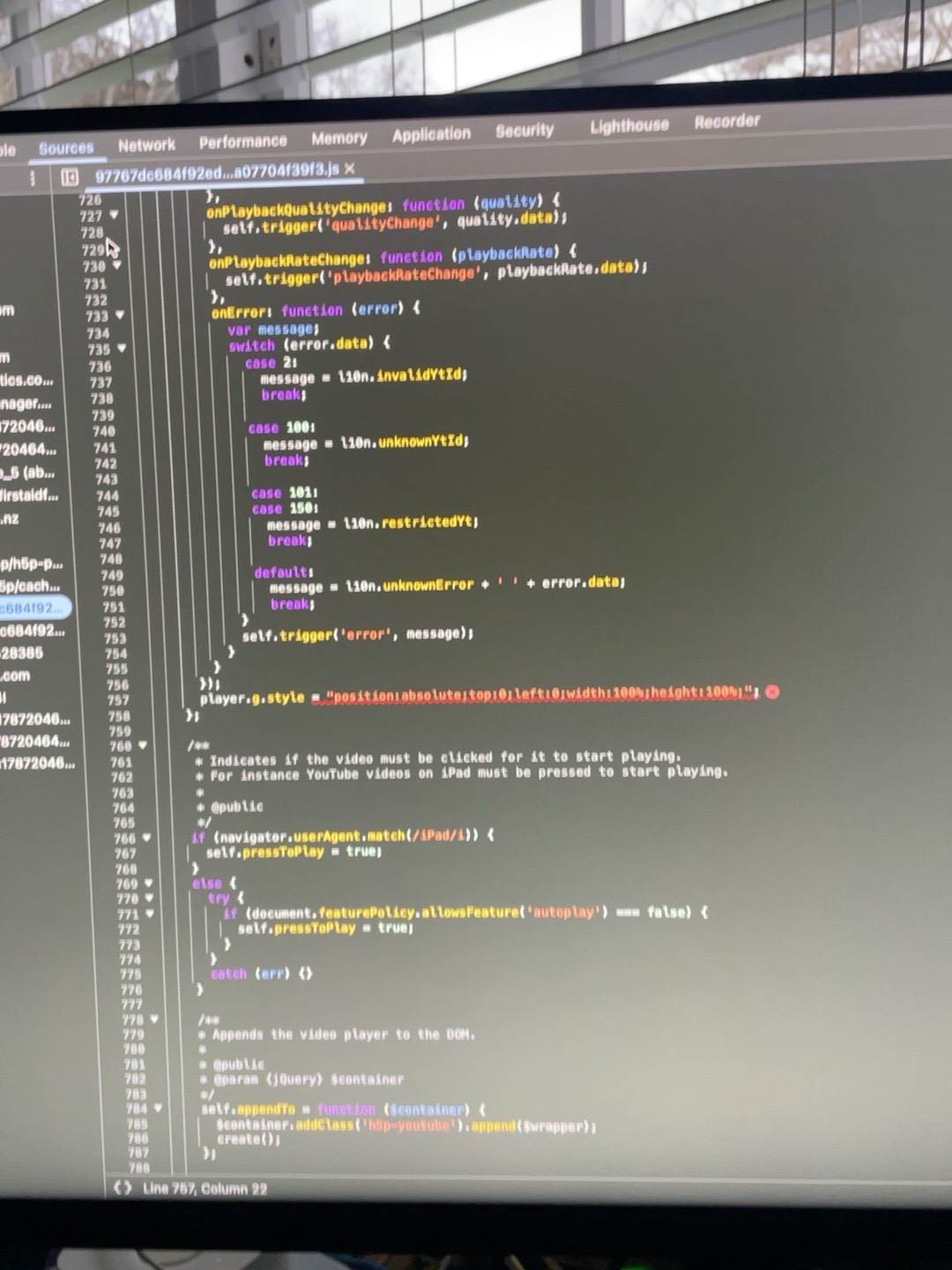
Uncaught TypeError: Cannot set properties of undefined (setting 'style')
The error occurs within the H5P YouTube video player code at the point where it attempts to execute:
player.g.style = "position:absolute;top:0;left:0;width:100%;height:100%;"
There is also a YouTube postMessage origin warning, but the JavaScript TypeError appears to be the error preventing the H5P player from rendering.
Operational impact
This is affecting live online first-aid training courses containing many H5P presentations. The courses include 6-hour, 8-hour and 12-hour programmes, so replacing the H5P material is not a practical immediate solution.
As a temporary measure, we have had to edit all affected course lessons and provide learners with direct links to the corresponding YouTube videos.
The remaining H5P content continues to function.
Expected behaviour
A supported YouTube URL added as the video source in H5P Video should initialise and display normally within Course Presentation.
Actual behaviour
The H5P video area remains blank, and the JavaScript TypeError shown above occurs during YouTube player initialisation.
Could you please confirm whether this is a known compatibility issue between the current YouTube player/API and H5P. Video, and whether a library update or patch is available or planned?
We are happy to provide screenshots, console output, an example YouTube URL and additional version information if required.



BV52
Thu, 08/27/2026 - 18:36
Permalink
Hi GBD,If you are still
Hi GBD,
If you are still encountering this issue and you are self-hosting your contents please make sure that you are using the latest version of Interactive Video.
On the other hand if you are hosting your contents in H5P.com please provide the URL of the content so that we can check.
-BV
BV52
Fri, 08/28/2026 - 07:19
Permalink
--OPs Reply through email-
--OPs Reply through email--
Thank you for the response.
We are self-hosting H5P on WordPress. I have now confirmed that we have Interactive Video 1.28.36 installed, which appears to be the current version. We also have H5P Video 1.6.76 installed.
I have refreshed the H5P Content Type Cache, but the problem remains unchanged.
Existing YouTube videos play normally when opened directly on YouTube, but when used within H5P the video fails to initialise. Other slide content continues to work normally.
The browser console continues to report the JavaScript error included in my original report:
Uncaught TypeError: Cannot set properties of undefined (setting 'style')
We have temporarily replaced the affected embedded videos with direct YouTube links so that learners can continue their courses, but this is affecting a significant amount of live course content.
Please let me know what further information or diagnostics you would like from our installation and I will provide them.
Regards,
GBD
First Aid for All
New Zealand
otacke
Fri, 08/28/2026 - 15:42
Permalink
Update to Interactive Video 1
Update to Interactive Video 1.28.37 and don't forget to batch upgrade existing contents to that version. Then you should be good.