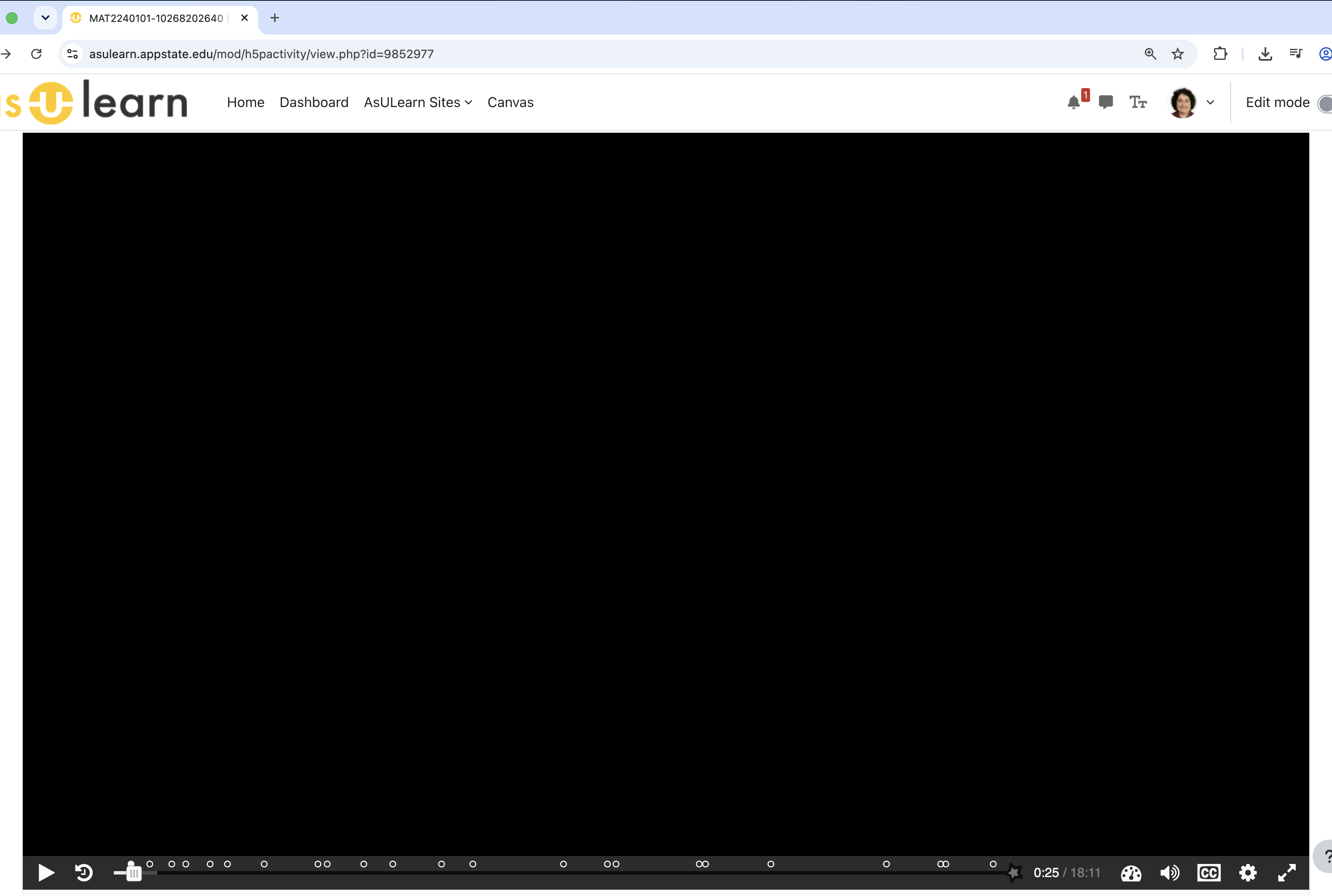
Interactive Video with YouTube: video turns black/gray while audio and interactions still work
I am experiencing a new problem with H5P Interactive Videos that use YouTube videos. These are existing Interactive Videos that worked correctly until very recently, including H5Ps that have been working for years.
The H5P activity itself continues to work: the audio plays and the H5P interactions appear and function, but the video image is black or gray.
What is particularly strange is that the problem seems to have spread across access methods over the past several days. Some browsers/devices/connections continued to display the video correctly after others had begun showing black screens, but methods that were still working very recently have subsequently stopped working as well. For example, I tested one of the activities over Ethernet at my university on Monday and the video displayed correctly; testing the same activity over Ethernet again this morning now gives the black screen.
I have reproduced the problem with multiple existing Interactive Videos, including videos created in different years.
Troubleshooting/testing so far:
Tested Chrome and Firefox.
Tested different devices, including a computer and phone.
Tested different internet connections, including university Wi-Fi, university Ethernet, and Verizon cellular.
Turned Cisco Secure Client on and off.
Confirmed that third-party cookies are allowed.
Confirmed that the YouTube videos themselves play normally outside H5P.
Confirmed on YouTube that embedding is allowed.
Tested the YouTube video directly in an iframe/embed rather than through the H5P Interactive Video. The video displayed correctly there.
A student independently reported the same H5P behavior: black screen while the activity otherwise works. The student tested both Firefox and Chrome, turned off hardware acceleration, and disabled security systems/blocks until the browser developer console was clear of reported blocks. The H5P video image remained black.
The student described the problem as follows: the H5P embed in our Moodle LMS gives a black screen, while using the separate YouTube video at the same time as the functioning H5P audio/interactions requires splitting attention between the two.
Our LMS is Moodle (ASULearn at Appalachian State University). I am also reporting the issue to our university technical support.
The fact that the YouTube video plays normally on its own and in our iframe test, while the same video inside H5P Interactive Video has working audio and H5P interactions but no video image, seems potentially significant.
Has anyone else recently encountered this specific behavior with YouTube-based Interactive Videos? Are there any known recent changes involving H5P Interactive Video/YouTube playback that could produce working audio and interactions but a black or gray video image?
Thanks!



BV52
Thu, 08/27/2026 - 18:23
Permalink
Hi greenwaldsj,If you are
Hi greenwaldsj,
If you are still encountering this issue and you are self-hosting your contents please make sure that you are using the latest version of Interactive Video.
On the other hand if you are hosting your contents in H5P.com please provide the URL of the content so that we can check.
-BV