Course presentation comments not visible
Submitted by Forsynthia on Mon, 02/16/2026 - 03:04
Forums:
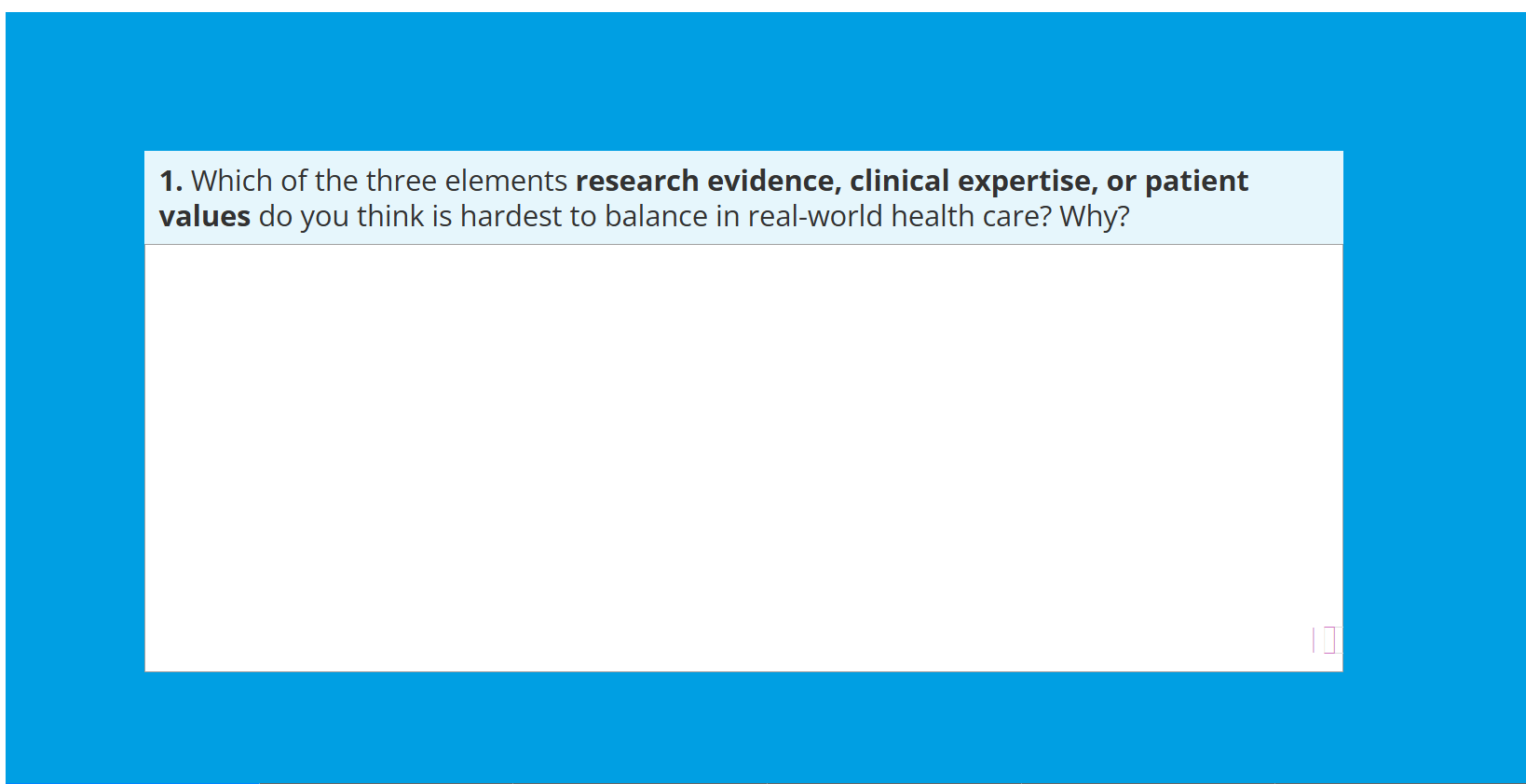
Using course presentation h5P, the button to open the feedback comments is not visible on the slide. You can see in the attachment it is a light box in the bottom right hand corner. If the user clicks this area the feedback opens. How do I make this feedback button more visible.
If I select the option to 'Display as button', it displays the whole question as a button and the screen is empty, instead of the feedback comment.
Canvas
Desktop
Chrome
H5P file:
Content types:
BV52
Tue, 02/17/2026 - 18:01
Permalink
Hi Forsynthia,If I upload the
Hi Forsynthia,
If I upload the content in H5P.com it works as expected: https://bv-demo.h5p.com/content/1292827905703067559
Can you please provide more details. You can use this page as guide: https://snordian.de/2024/02/17/how-can-i-craft-an-effective-bug-report-f...
-BV
Forsynthia
Wed, 02/18/2026 - 01:04
Permalink
Hi BV, that's strange, my
Hi BV, that's strange, my version does not show the purple question mark.
When i tried to re-use your version the question mark dissapeared again.
I am using up to date chrome, using the h5p build area and am on a desktop computer.
Please see attachment on how it looks for us.
Forsynthia
Wed, 02/18/2026 - 01:01
Permalink
Hi BV, that's strange, my
Hi BV, that's strange, my version doesn't show the purple question mark you can see in yours.
When I tried re-using your version the question mark dissapears again.
I am using up to date Chrome Version 145.0.7632.76 and the problem is appearing in the H5P build area. I'm on a desktop computer.
BV52
Fri, 02/20/2026 - 00:15
Permalink
Hi Forsynthia,Did you check
Hi Forsynthia,
Did you check the site I suggested? There are only 2 things that we can confirm. First this is not a bug, the content works when hosted in another site. Second the browser you are using is not causing the issue since you can see the icon when checking the content I uploaded.
Please check the page I mentioned, it will help provide some clues to what may be causing the issue.
-BV
Forsynthia
Fri, 02/20/2026 - 01:38
Permalink
Hi BVWhy am I providing a bug
Hi BV
Why am I providing a bug report when you said it's not a bug.
I provided all this information above.
However here is the bug report:
Provide a clear and concise title that summarizes the issue for effective ticket handling.
Course presentation comments icon not visible
Description
Start by briefly outlining the problem. Clearly state your expectations and describe the actual outcome. Be specific and avoid unnecessary details.
Using course presentation h5P, the button to open the feedback comments is not visible on the slide. You can see in the attachment it is a light box in the bottom right hand corner. If the user clicks this area the feedback opens. How do I make this feedback button more visible.
If I select the option to 'Display as button', it displays the whole question as a button and the screen is empty, instead of the feedback comment.
Note: this is not a bug, the content works when hosted in another site. Second the browser you are using is not causing the issue since you can see the icon when checking the content I uploaded.
Steps to Reproduce
Clearly outline the steps that lead to the bug. Provide a step-by-step guide for developers to reproduce the problem, including any relevant settings or configurations.
Clearly state your expected result (at each step) and contrast it with the actual result. This may not be necessary for routine steps (e.g., filling in the title field of a content type-unless there's something wrong with that, of course), but include it when there's a problem. This approach helps developers quickly identify deviations from expected behavior.
Example
Create a Question Set (1.20.12) content with a True False (1.8.x) question.
Disable the “Retry” option either in the behavioral settings of the Question Set or in the behavioral settings of the True False question.
Save the content.
Start the Question Set, navigate to the True False question and hit the “Check” button without selecting “true” or “false” as the answer option of the True False question.
Result: One is stuck and cannot finish the Question Set, because the “Finish” button does not pop up.
Expected behavior: The “Finish” button appears in order to finish the Question Set.
create a course presentation , type in the answer box.
Add in feedback comments (comments are shown when user displays suggested answer for slide)
tick include comments in exported document
tick always display comments
done
When viewed the purple question mark does not show up to reveal the feedback comment
Impact and Frequency
Describe the frequency of the bug and its impact on the user experience. Is it just a minor annoyance? Does it prevent something from working at all?
Clearly state whether the problem is reproducible consistently (following a pattern) or whether it occurs intermittently only.
always
Environment Details
H5P Content Type Name (or part of H5P)
It's important to use the correct English name. To avoid misunderstandings, cross-reference the original English content type name at https://h5p.org/content-types-and-applications.
https://qut.h5p.com/content/1292793691461863009
Browser
Please state the browser name (e,g, Chrome, Firefox or Safari) and also state the version number unless it's a problem on the server-side only. There typically is a menu/settings item named "Help" or "About" that will reveal the version number to you.
Chrome Version 145.0.7632.76
H5P Integration
Please specify what H5P integration you are using. If you have administrative access, please also determine the version number.
https://qut.h5p.com/
H5P Core Version
This piece of information is very rarely required. Add if known or easily available.
Not sure
Device
If you're on a desktop, simply mentioning that is sufficient. However, if you're using a mobile device from Apple, it's crucial to specify the exact device as it can impact the experience. Please provide as precise information as possible regarding your Apple mobile device.
Desktop
Operating System
Please state the operating system and version number that you experience trouble with (mostly relevant only if it's iOS or a server-side issue).
Surface laptop studio
Screen Reader
If you are reporting an issue with accessibility and screen reading, please name the screen reader software that you are using.
No
Server Software
If the problem is potentially rooted in the H5P integration (plugin) or elsewhere in the platform, providing information about the server software can be valuable. Here's a loose ranking of importance for such information:
What version of PHP (or in some cases node.js) is used?
What type of database is used in what version?
Are any services (e.g. storage, database) sourced to the cloud, e.g. to Amazon Web Services? How?
...
No
Technical details
Error Messages on Screen
Include any on-screen error messages in your bug report. Copy and paste the complete error message to provide context about when and where it occurred.
No error message, h5p not displaying correctly.
Supplements
Link to page where content is hosted online or link to H5P content file.
https://qut.h5p.com/content/1292793691461863009
BV52
Fri, 02/20/2026 - 02:13
Permalink
Hi Forsynthia,Thank you for
Hi Forsynthia,
Thank you for the information. I will reach out to the Escalations team of H5P.com. I'm not sure if they will reach out to you by email or through this post. You should hear back from them within 24 hours.
-BV
Forsynthia
Fri, 02/20/2026 - 05:03
Permalink
Thank you, BV! :)
Thank you, BV! :)
BV52
Fri, 02/20/2026 - 17:23
Permalink
Hi Forsynthia,Sorry, would
Hi Forsynthia,
Sorry, would you mind sending us an email to [email protected]. They are already investigating this but we may need to ask information from you that should not be posted publicly. Please reference this thread https://h5p.org/node/1555606, so that you have to explain everything.
-BV