page - video display from youtube is not working
Submitted by dee_v on Wed, 08/19/2026 - 06:29
Forums:
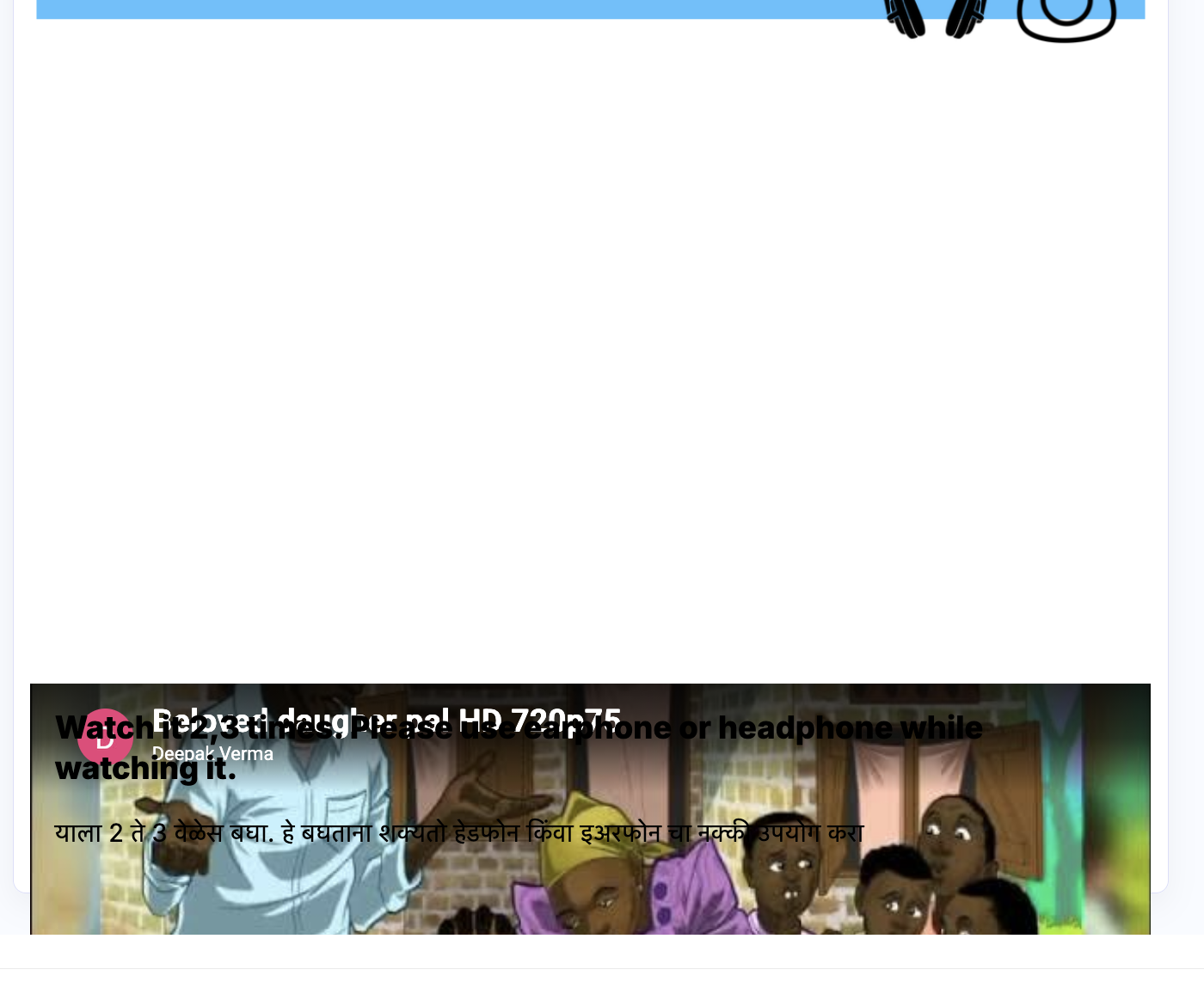
suddenly this emerge - the video is not displaying properly. it is getting pushed towards the downend of the page. check screen shot. i used only youtube links. have checked on firefox and safari both..this issue is being reported since yesterday. the issue is with youtube link loading the full video. only stub at the end of he page. video link from dropbox and vimeo are working fine
Attachments:

Content types:

BV52
Thu, 08/27/2026 - 01:01
Permalink
Hi dee_v,Are you still having
Hi dee_v,
Are you still having this issue.
-BV
dee_v
Sat, 08/29/2026 - 19:03
Permalink
yes. solved. what was the
yes. solved. what was the issue.
pizzaman
Mon, 09/14/2026 - 12:18
Permalink
Latest release does not
Latest release does not resolve it.
Here is latest plugin version with example: https://pingpong123.splet.arnes.si/2025/01/09/pozdravljen-svet/
BV52
Tue, 09/15/2026 - 20:22
Permalink
Hi pizzaman,Check my answer
Hi pizzaman,
Check my answer on other post. Also please do not cross post in the forums.
-BV
Catherine Mclean
Thu, 08/27/2026 - 12:34
Permalink
Hi, I'm having the same issue
Hi, I'm having the same issue when trying to view or add new videos into a Course Presentation. The video does not render properly, either when adding as an embed, or when adding as a button.
otacke
Thu, 08/27/2026 - 12:40
Permalink
That problem was fixed the
That problem was fixed the day it occured. Just ensure you're using the latest version of your H5P integration and update Interactive Video to the latest version.
TomMc
Thu, 08/27/2026 - 16:27
Permalink
Youtube in Interactive book activity
Hello folks, excellent description of the fault we are experiencing in Interactive books (thank you Dee), these book are presenting the same fault when attempting to insert new video links to the book, it does render standalone Mp4 when inserting to the interactive books but not youtube. These books were all created in the Moodle content bank and were working until last week, thank you in advance, we are running Moodle v4.5.5 and all systems are up to date. please help the academic year has just started. :-)
BV52
Thu, 08/27/2026 - 18:09
Permalink
Hi All,As Oliver mentioned if
Hi All,
As Oliver mentioned if you are still having issues with playing Youtube videos please update the Interactive Video to the latest version.
-BV
Catherine Mclean
Fri, 08/28/2026 - 10:46
Permalink
Thank you for the suggestions
Thank you for the suggestions. Without having access to the site admin of our Moodle (4.5), will the fact that I have updated the Course Presentation (in this case) on my version of the plugin, mean that it is updated across that course? Or across the site? Or do I need to get our systems developer involved to make sure the Course Presentation is updated across the entire site?
Catherine Mclean
Fri, 08/28/2026 - 10:50
Permalink
One more thing, when someone
One more thing, when someone updates the Course Presentation via the plugin for example, what happens to the Course Presentation in the Content Bank? Is that updated as well? Any information you can share would be greatly appreciated as our students start next week on 1st September.
BV52
Fri, 08/28/2026 - 18:13
Permalink
Hi Catherine,Since you are
Hi Catherine,
Since you are using the built-in H5P Moodle plugin I suggest that you check with the Moodle community.
https://moodle.org/mod/forum/discuss.php?d=444525
-BV
Catherine Mclean
Tue, 09/01/2026 - 09:43
Permalink
Thank you. I have already
Thank you. I have already looked at the Moodle.org information. We are using both the plugin and the Content Bank so I need to know solutions for both.
BV52
Tue, 09/01/2026 - 18:32
Permalink
Hi Catherine,For the plugin
Hi Catherine,
For the plugin you need to update the Interactive Video to the latest version. Additionally, make sure that all the contents are using the latest version of Interactive Video. You can go to Site administration -> Plugins -> H5P -> H5P libraries and then click on "upgrade library contents" under "action" for Interactive Videos.
-BV
Catherine Mclean
Wed, 09/02/2026 - 11:50
Permalink
Thank you. As mentioned
Thank you. As mentioned previously, I do not have access to our site admin settings, so I will have to refer this to our systems team.
Ron Anywar
Wed, 09/09/2026 - 12:40
Permalink
Hello BV52,I have a few
Hello BV52,
I have a few questions regarding "upgrade library contents":
Many thanks and kind regards,
Ron A
BV52
Wed, 09/09/2026 - 19:21
Permalink
Hi Ron A,Below are the
Hi Ron A,
Below are the answers to your questions.
-BV
otacke
Fri, 08/28/2026 - 22:55
Permalink
The answer to the other post
The answer to the other post would depend on what you mean by "updated the Course Presentation".
The H5P plugin for Moodle and Moodle's own H5P integration (serving the content bank) are two completely separate things. The one does not affact the other, they do not share data, etc.
Elmer
Wed, 09/16/2026 - 10:07
Permalink
Schwarzer Bildschirm

Auf H5P habe ich verschiedene interaktive Videos abgelegt. Bei allen Videos höre ich den Ton und kann die Fragen beantworten, jedoch wird kein Bild angezeigt. Können Sie mir bei diesem Problem weiterhelfen?Herzlichen Dank für eine Rückmeldung. "Black Screen I have uploaded various interactive videos to H5P. With all of them, I can hear the audio and answer the questions, but no image is displayed. Could you please help me with this issue? Thank you very much for your feedback."BV52
Thu, 09/17/2026 - 19:24
Permalink
Hi Elmer,I assume you are
Hi Elmer,
I assume you are using H5P.org for your contents. If so, currently there is no resolution for this. H5P.org uses an old platform that has not been updated in a while and there are no plans to do this. I suggest that you either self-host your contents or sign up for an H5P.com license.
https://h5p.org/integrations#plugins
-BV