Drag and Drop Tutorial
The Drag and drop content type allows learners to drag a piece of text or an image and drop it on one or more corresponding dropzones.
In this tutorial you will learn:
- When to use Drag and drop
- How to create a Drag and drop
Click the "Get started" button to explore all of the possible ways to use H5P!
Video tutorial
The below video summarizes what you may do with Drag and Drop and how:
Textual Tutorial - Example
Here's the Drag and drop we'll create in this tutorial:
When to use Drag and drop
Drag and drop enables the learner to associate two or more elements and to make logical connections in a visual way. Here are some examples:
- Group elements that belong together or have something in common
- Match an object with another object
- Put elements in the correct order
- Place elements at a correct position
Drag and drop can be used to test the learner's knowledge on a given topic as a variation to Multichoice questions. Drag and drop can be used stand-alone or they can be included in Question sets, Interactive Videos or Presentations. Either way, they are created in the same way.
Step 1: Topic
Let's say you have a text about Strawberries that you want to create a Drag and drop question about. The example text below is pasted from Wiktionary:
Strawberry
The juicy, usually red, edible fruit of certain plants of the genus Fragaria.
Step 2: Create Drag and drop question
Select the New content option and choose Drag and Drop from the list of Content types:
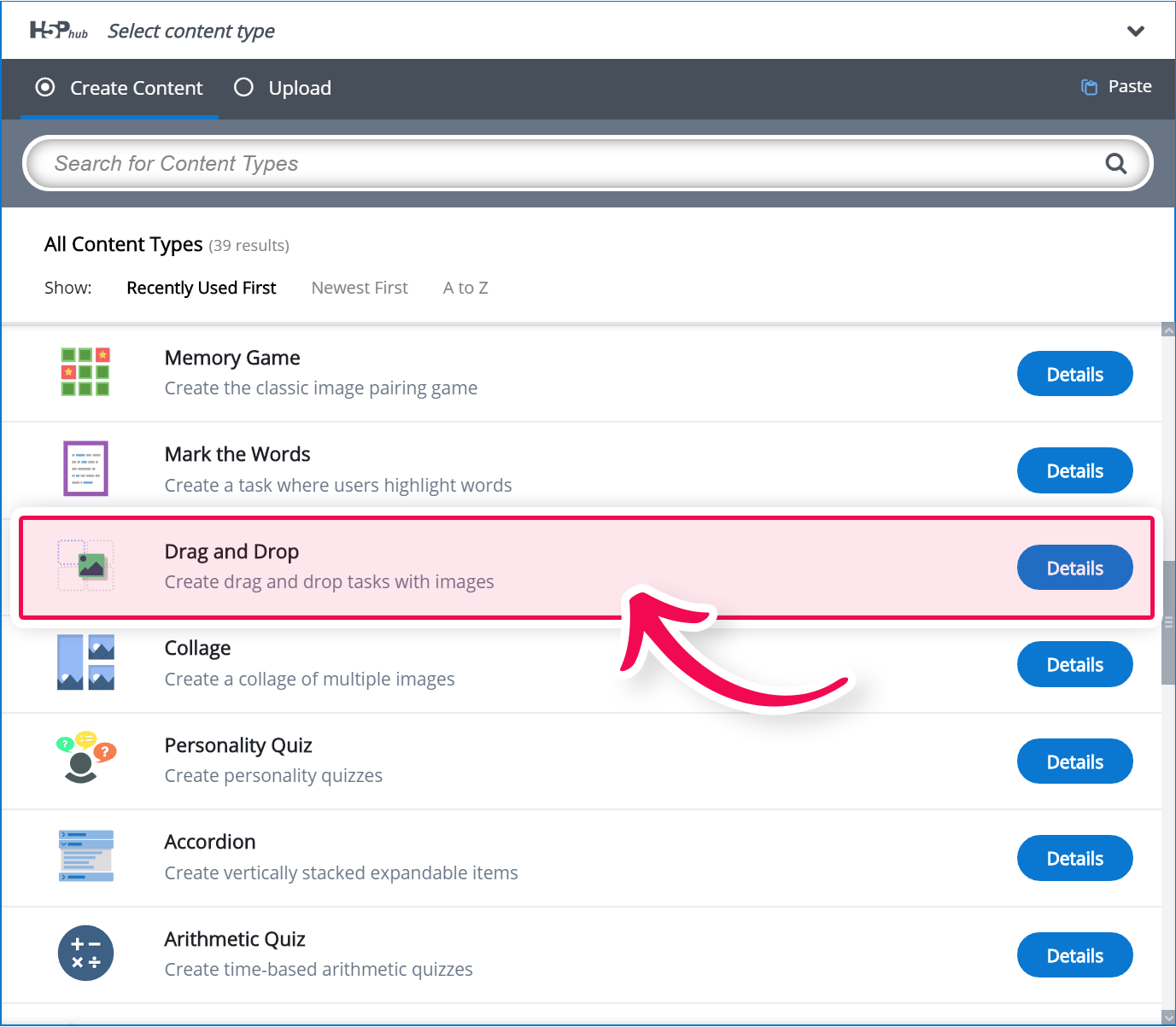
Step 3: Drag and drop question editor
The Drag and drop question editor should now appear. The top part of the editor looks like this:
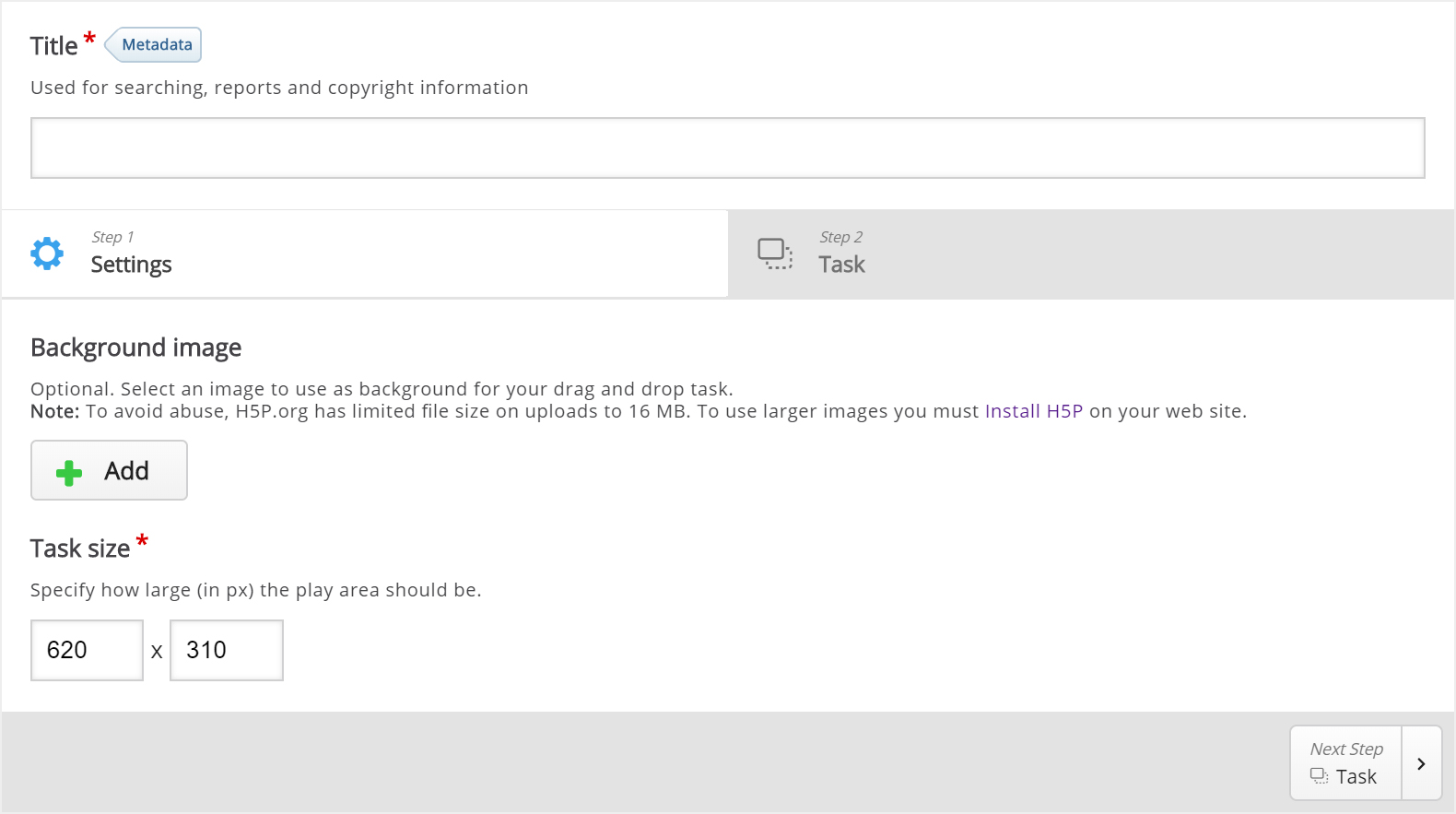
We'll focus on creating the Drag and drop question content in this tutorial. The content creation happens in the top part of the editor, so we'll focus on this part here.
There are two steps in creating a Drag and drop question: Settings and Task. You can press the Settings and Task tabs at the top of the editor at any time to navigate between the views.
Step 4: Settings
Settings deals with general settings such as background image and size.
We'll add this background image:

The picture was downloaded from Wikimedia and is licensed with Creative Commons Attribution Share Alike.
Press the  button to add a background image. Browse to where you downloaded the strawberry image above and select it.
H5P 1.1 only: You can add license information for the background image by pressing the Edit copyright button:
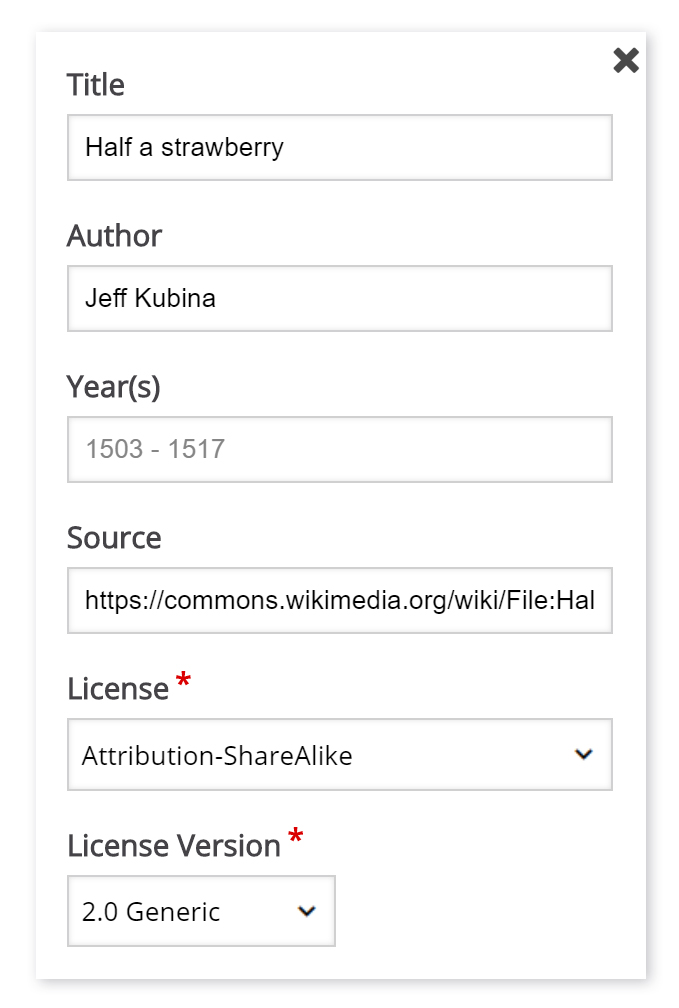
The Year(s) field is not relevant in this context so we'll leave this blank.
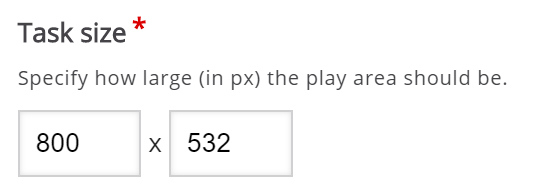
Now that we've added a background image, I can define the size of the Drag and drop question. Since the image has a width of 800 px and a height of 532 px, I'll use this size for the task.
The Drag and drop question will be scaled to the maximum width of the page where it is placed, after saving. The Size defines the width and height of the editor as well as the aspect ratio of the Drag and drop question, rather than the actual size in pixels when it is viewed.
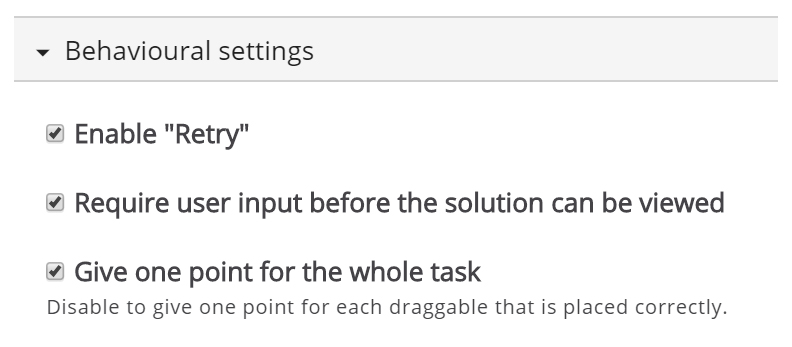
Since we want learners to be able to try to solve the Drag and drop question multiple times, as opposed to only have one go, we'll check the Enable "Retry" option.
The Give one point for the whole task option is more relevant when we add Drag and drop question to Question sets, Interactive Videos or Presentations. This option controls the score the learner gets for solving the Drag and Drop question when it is placed in a sequence of multiple tasks. Since we are creating a stand-alone Drag and drop question, it doesn't matter whether we'll leave this option checked or not.
Step 5: Task
Press the Task tab in the top right half of the editor to start creating the task itself.
You'll see that the background image is displayed with the size defined in the Settings tab.
We'll create a Drag and drop question where the user tries to associate the strawberry with its corresponding genus name. According to Wikipedia, a genus is a taxonomic rank used in the biological classification of living and fossil organisms.
From the example text above, we know that the strawberry belongs to the Fragaria genus. Other examples of berry genuses are Rubus (e.g. Raspberries) and Vaccinnium (e.g. Blueberries). We'll use these last two examples as false alternatives.
You will see a toolbar above the background image.
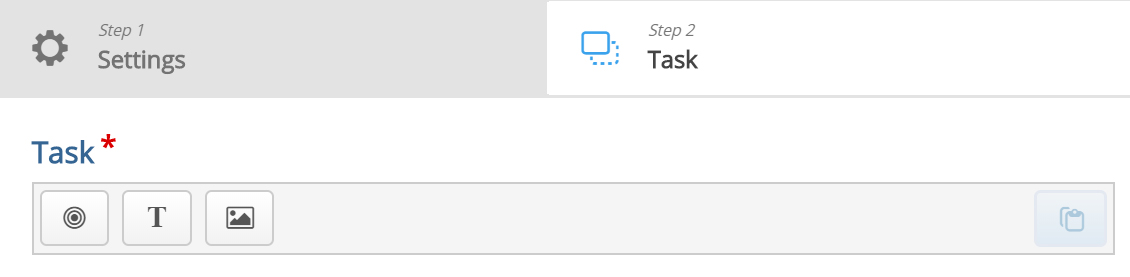
The toolbar allows you to insert:
 | Dropzones |
 | Texts |
 | and Images |
Dropzones are areas on which Text and Image draggable elements can be dropped.
Step 6: Dropzone
We start off by adding a Dropzone over the strawberry shown in the background image. Press the Dropzone button in the toolbar, drag it onto the background image and drop it somewhere above the strawberry.
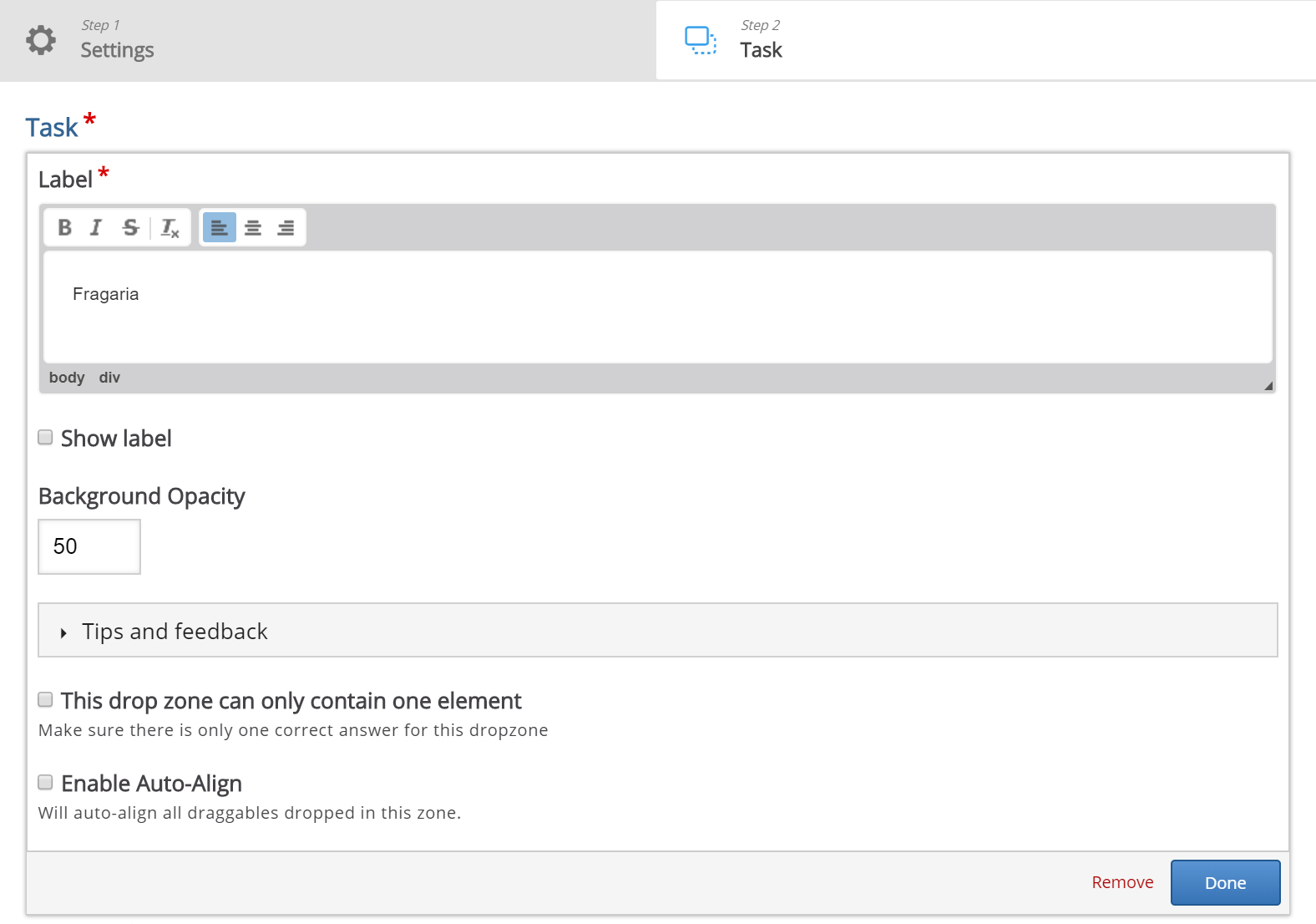
Dropzone options appear when you drop it. We add the Label Fragaria, which is the name of the genus the Strawberry belongs to. Set the opacity to 50 to make it semi-transparent.
You will have something like this:
Press Done.
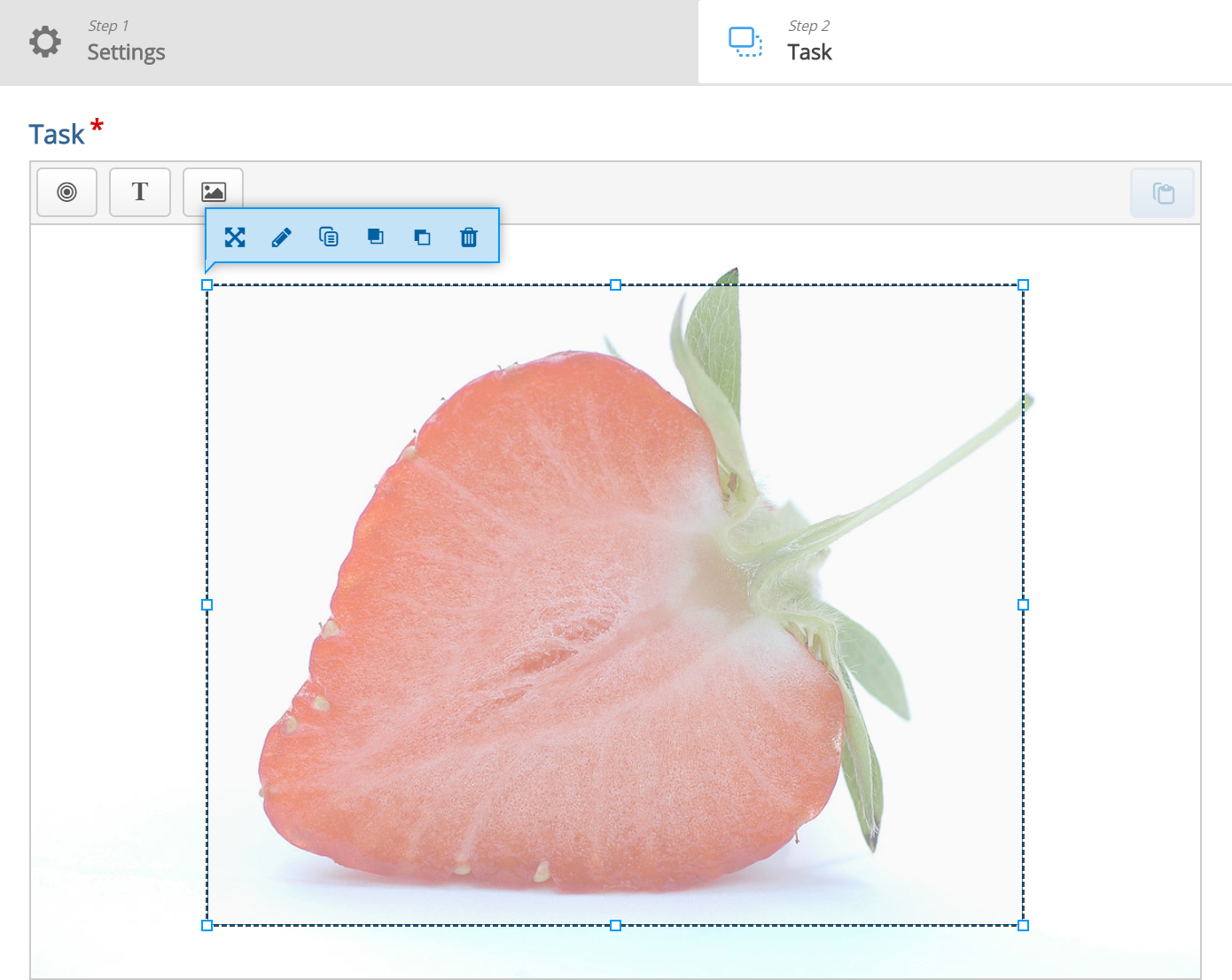
You will now see a white dropzone placed over the background image. Move and resize the dropzone so that it is placed roughly over the Strawberry in the background image. You move the dropzone by pressing and dragging it to where you want it placed. You resize the dropzone by pressing the lower right corner of the dropzone and dragging up/down or left/right to scale the dropzone to the right proportions.
Double-press the dropzone to edit it at any time.
You should now have something like this:
Step 7: Add text
In this tutorial we'll add three Text draggable elements; one correct and two incorrect. Images can be used as draggable elements in the same way as Text.
Press the Text button in the toolbar and drag it onto the background image. You can place it to the right of the strawberry. Text options appear when you drop it.
In the Label field, type in Vaccinium. Under Select drop zones, check the Fragaria checkbox. We know this is an incorrect match, however, we want the learner to be able to drop the Vaccinium object on the Fragaria dropzone. If this option was unchecked, the learner would not have been allowed to drop the object on the dropzone. This is more relevant in cases where you have more than one dropzone.
Leave the opacity to 100 and press Done. You will now see the Vaccinium draggable object where you placed it.
Move and resize the draggable object as you please. You move it around by pressing on it and then drag it to where you want it. You resize by pressing in the lower right corner of the object and then pull in any direction to scale.
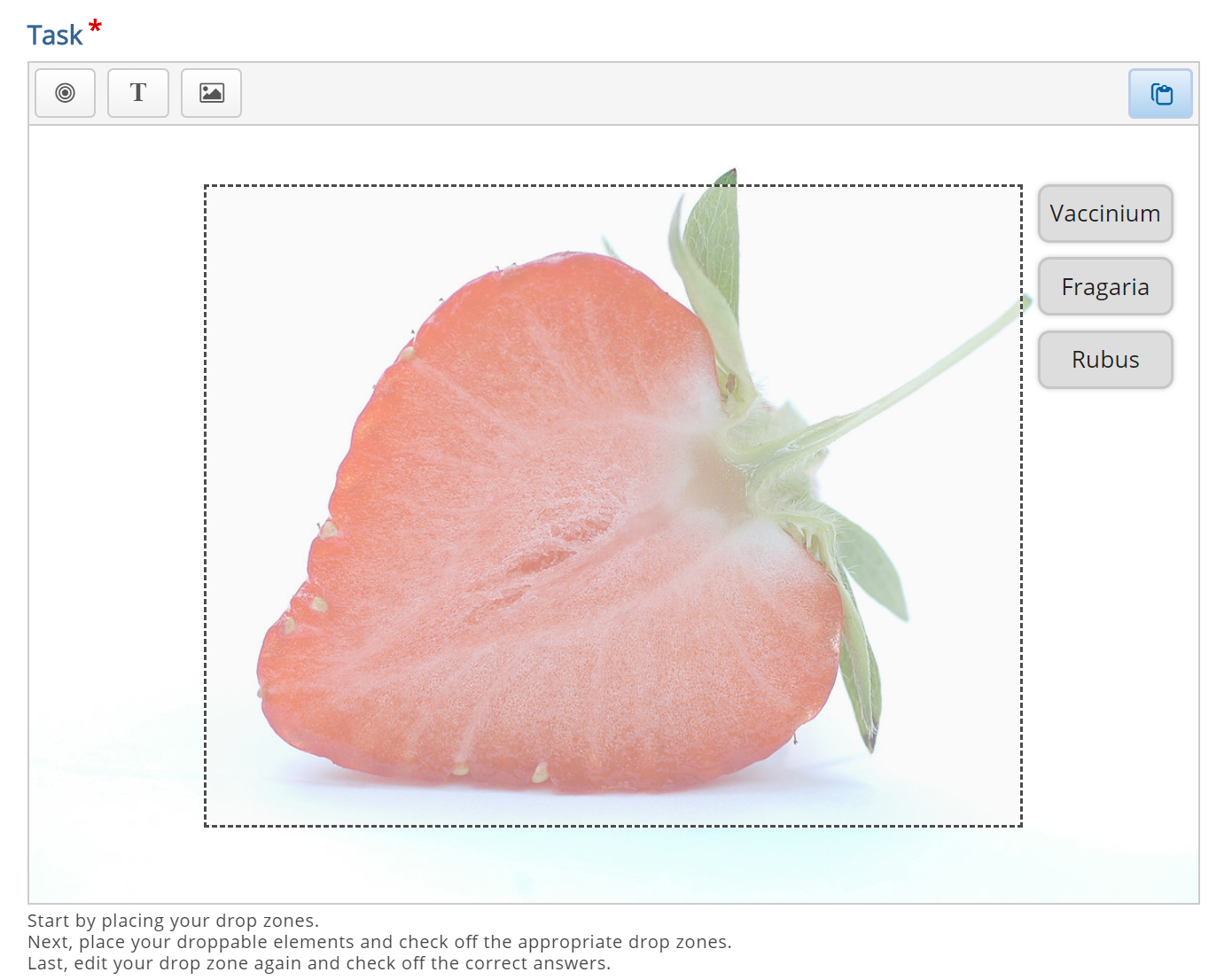
Add two more Text draggable elements by following the exact same procedure as above. However, label these elements Fragaria and Rubus respectively. Place them in a neat alignment to the right of the Strawberry.
Double-press the draggable object to edit it at any time.
Hopefully, you will now have something like this:
Step 8: Define the correct match
In order to define which match between dropzone and draggable elements is correct, you double-press on the dropzone. This will bring up the same dropzone options as in Step 5.
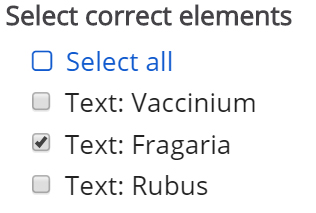
Since you have defined an association between the three draggable elements and the Fragaria dropzone in the previous step, you will now see a Select correct elements option. Check the Text: Fragaria checkbox to define this draggable object as the correct match.
Now, set the opacity to 0 (zero) and press Done.
Multiple correct elements can be placed on a dropzone.
Step 9: Finishing up
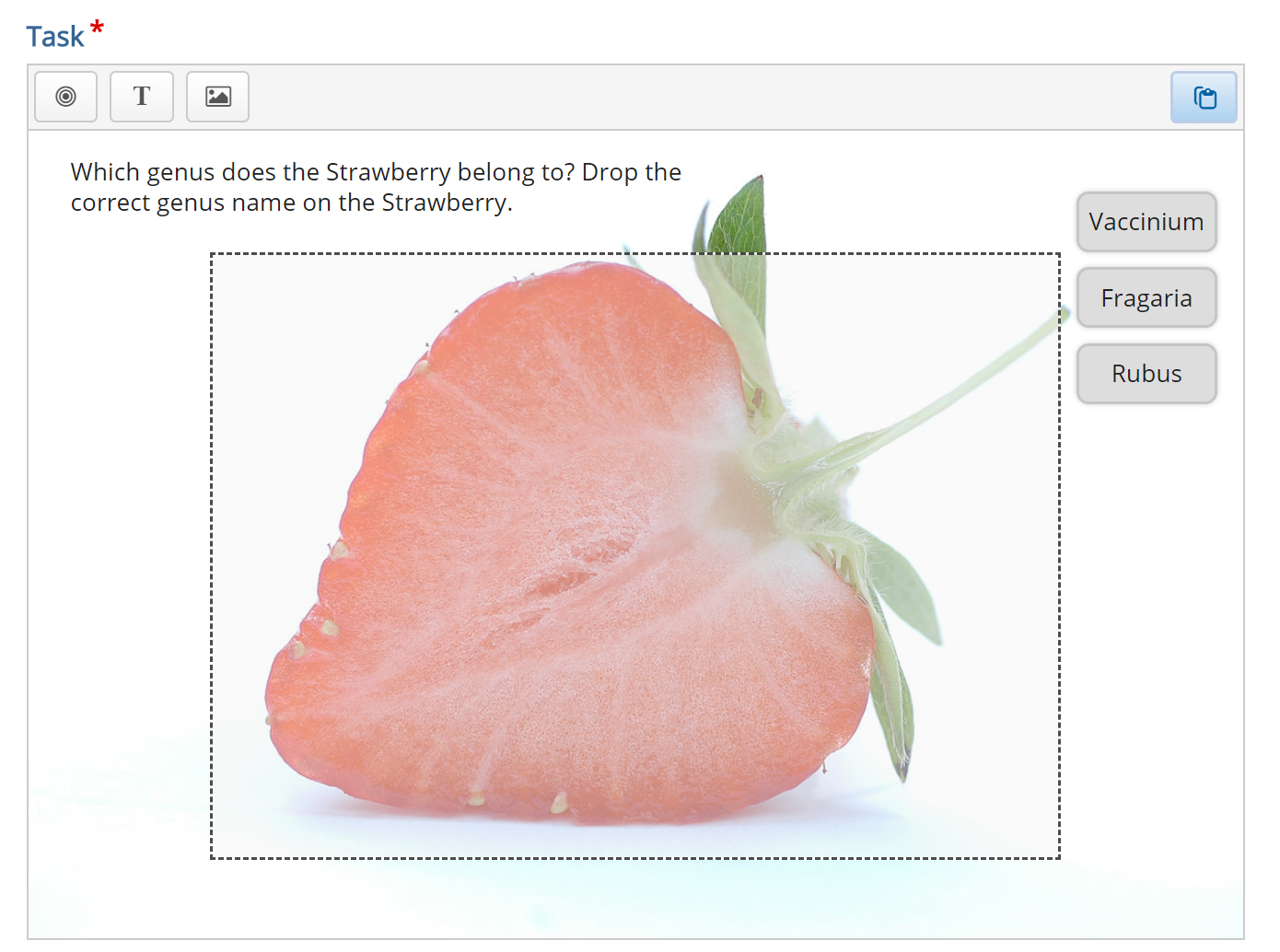
We are now more or less finished. We might want to add an instructional text such as: Which genus does the Strawberry belong to? Drop the correct genus name on the Strawberry.
This is done by adding a Text element and type in our instructions in the Label field.
As instructional text should not be a draggable element, we do not select a corresponding dropzone.
Place the instructional text in the top right corner and resize it as you please.
You should now have something like this:
Save the node/article to view your finished Drag and drop question.
You should now have the same result as the example.
Feel free to leave any comments or suggestions on how to improve this tutorial.

Comments
falcon
Tue, 05/10/2016 - 19:10
Permalink
It is a feature :) When
pn.naoned
Tue, 05/10/2016 - 21:14
Permalink
It's has been solved
It was something that I got wrong. I selected in the text field which answer field it belonged to and in the answer field I again selected what the right answers were (my mistake). I'm sorry for bothering you guys. Thank you falcon for your answer : )
falcon
Thu, 05/12/2016 - 10:38
Permalink
You're not alone in doing
funique
Wed, 10/12/2022 - 03:48
Permalink
same problem here
watching for an answer
BV52
Wed, 10/12/2022 - 18:26
Permalink
Hi funique,Documentation
Hi funique,
Documentation pages are not a good place to post question or answer to comments since in most cases it is hard to "track" which comment you actually replied. Having said this I suggest that you repost your concern in the forums.
-BV
EM
Thu, 08/11/2016 - 03:45
Permalink
Can't find Drag and Drop images on H5P.org
I'm making Interactive videos on the H5P.org site, the interactions available do not seem to include this one yet I see it in the "berries" demo. Any tips on where to find it. I'm not working off my own server or an LMS, just right here with a free account at H5P.org. Is that the problem?
fnoks
Thu, 08/11/2016 - 10:18
Permalink
Please try now (I have given
Please try now (I have given you the access to use all content types on h5p.org)
EM
Thu, 08/11/2016 - 13:01
Permalink
Thank you fnoks!
I now have "drag and drop" on my panel. Thanks! Just curious, how many other interactions are available but not being provided by default on the H5P.org site?
fnoks
Thu, 08/11/2016 - 18:55
Permalink
the following content types
the following content types are hidden for new users:
The reason we have set it up like this, is to make sure first time H5P users are not overwhelmed...
EM
Fri, 08/12/2016 - 22:57
Permalink
Interaction documentation?
Is there a page that documents and illustrates the various Interactive Video interactions that are available? I have trouble deciding which to use without being able to see them in context, but I find myself having to create tests to see how they look/work.
falcon
Mon, 08/15/2016 - 09:45
Permalink
Thank you for the feedback.
Thank you for the feedback. Will be buttons to click on, screenshots etc in the future. Right now I think this page might be of use.
Laura Power
Fri, 01/27/2017 - 12:32
Permalink
Drag and Drop?
I was wondering if it'd be possible to be given acccess to use the drag and drop facility?
I've used H5p for a little while and had some amazing feedback but the drag and drop facility would be great to add to the user experience! I've been looking for a solution to creating drag and drop which work with different devices for a while and this sounds like it could be a solution.
icc
Mon, 01/30/2017 - 08:07
Permalink
Hi, you should be able to use
Hi, you should be able to use it now!
MyETeam
Fri, 01/27/2017 - 13:52
Permalink
show the solution... not showing the solution!
I don't know where I'm going wrong with this as I've tweaked the settings every which way I can see, but for the link below I can't get the show soution button to show the correct anwers wfor a drag and drop I've done in a question set. It just shows the answers given in the last attempt made on the quiz. Please advise where I'm going wrong
https://h5p.org/node/46392?feed_me=nps
Thanks
Adrian
icc
Mon, 01/30/2017 - 08:11
Permalink
Unfortunately, there's no
Unfortunately, there's no solution view for drag and drop – not yet, at least. This has to do with the flexible nature of the drag and drop task which makes it difficult to create a good solution view.
MyETeam
Mon, 01/30/2017 - 10:16
Permalink
How do I isolate / switch off
How do I isolate / switch off the show solution button then so it doesn't appear at all?
icc
Mon, 01/30/2017 - 21:51
Permalink
I actually thought this was
I actually thought this was possible, but after trying to do so it appears that it's not. We should create a feature request for this.
Miquel
Wed, 04/05/2017 - 07:18
Permalink
Larger Text Style Documents
Thanks for this very exciting website. I'm just new to H5P and it's really engaged me so far.
Drag and Drop has some very powerful applications for teaching and one that we're trying to develope at the moment is using an image of a document and having the students drag and drop labels or parts of the document into the appropriate place. I've tried doing this on Moodle but the image size defaults are too small. I tried your Drag and Drop Exercise and was happy to see the option of adjusting your own image size. My only problem is that the items I wish to drag won't scroll up the page to cater for the larger document; so I can't effectively use that larger document size image that I'd hope to do. Am I able to rectify this?
I've been told to try this as a text drag and drop, however this doesn't achieve the unique formatting of the texts we are dealing with, so we need images of them.
(Also Moodle drag and drop has a dedicated area where the items to be dragged sit. I think this is a very tidy way of doing it and somehing to consider in the future.)
Thanks again for your very exciting activities (I was also immensely excited by the timeline activity).
tim
Wed, 04/05/2017 - 10:13
Permalink
I'm glad that you enjoy using
I'm glad that you enjoy using H5P!
That's a good point, I would suggest that you make a feature request in the feature request forum:
https://h5p.org/forum/16
I can't guarantee that it will be developed soon but hopefully someone from the community will contribute the code necessary to get it working.
gagan verma
Mon, 04/10/2017 - 06:20
Permalink
Drag and drop , background image is not loading
first of all thanx for this awesome plugin, m facing a problem in uploading background image, it is not working
icc
Mon, 04/10/2017 - 09:35
Permalink
Could you check your browser
Could you check your browser's error log(Ctrl+Shift+J in Chrome) for any messages when uploading?
Also, try to see if there are any errors in your web server's error_log file.
gagan verma
Mon, 04/10/2017 - 10:59
Permalink
unable to load drag and drop
thanx for your response, now m unable to load drag and drop in my wp, the brower's error is
JQMIGRATE: Migrate is installed, version 1.4.1
/dinchi/wp-admin/admin-ajax.php?token=02315669b9&action=h5p_libraries&machineName=H5P.DragQuestion&majorVersion=1&minorVersion=9 Failed to load resource: the server responded with a status of 500 (Internal Server Error)
h5peditor.js:115 Ajax request failed
h5peditor.js:116 Object
h5peditor.js:117 error
h5peditor.js:118 Internal Server Error
icc
Mon, 04/10/2017 - 11:05
Permalink
500 means that there's
500 means that there's something wrong with the server setup. You'll have to check your web server's logs.
gagan verma
Mon, 04/10/2017 - 11:30
Permalink
drag and drop option is missing on h5p.org account
drag and drop option is missing on h5p.org account, admin pls allow me to have that option
icc
Mon, 04/10/2017 - 11:32
Permalink
fixed
fixed
ToryDavison
Fri, 04/14/2017 - 18:02
Permalink
I see a place for Correct Answer Text...BUT Incorrect???
I do not see anywhere that you can enter text to respond when Incorrect text is dragged into the drop zone. Is this just not possible with Drag and Drops?
icc
Tue, 04/18/2017 - 10:02
Permalink
Unfortunately, this isn't
Unfortunately, this isn't possible yet.
Paulkcoach
Mon, 05/15/2017 - 01:59
Permalink
Making Hyperlink For Draggable Images in Drag / Drop Type
What I am trying to achieve is to have a bunch of images that are pretty smaller size that fit a grid (just like chess maker example). But can the images have hyper link where on clicking them will either open a new tab with original image size or popup (lightbox effect) if possible. I would really need a way to accomplish this. Please kindly do advise? really appreciate your help on this. This is great site and excellent. Thank you for all your work brother.
tomaj
Tue, 05/16/2017 - 10:02
Permalink
Thumbnails to large images
Hi Paul,
That exact functionality doesn't exist in the H5P ecosystem, but you can make something similar using Image Hotspots.
If you are a developer, and want to create a new content type that does this, I recomend that you start with looking at the developer documetation, and you can clone this Github repo for some boilerplate code.
- Tom
begun5
Thu, 06/15/2017 - 19:36
Permalink
Substance use or misuse?
Drag the description to the best fitting category: does it sound like substance use or like substance misuse?
annettegrove
Fri, 07/07/2017 - 22:43
Permalink
<p><img style="vertical-align
<p><img style="vertical-align: middle;" src="https://upload.wikimedia.org/wikipedia/commons/1/11/Hymn_Iddin-Dagan_Lou... alt="Test Picture">/></p>
annettegrove
Fri, 07/07/2017 - 22:44
Permalink
Test Pic
annettegrove
Fri, 07/07/2017 - 22:46
Permalink
TESTPIC
rutdres
Tue, 09/19/2017 - 18:21
Permalink
image too large
Hi there,
I am having a problem using this drag and drop H5P content. From my website (wordpress) I am trying to create a drag and drop H5P but I can't upload it and I am getting a message saying that it might be too large. I tried to create it on H5P web and I could create it.
My idea was to upload it then on my web. However, I realised that the upload bottom has disappeared...
Could you help me with this?
Thank you so much!
Ruth Andrés
BV52
Wed, 09/20/2017 - 05:54
Permalink
Hi Ruth,Please make sure that
Hi Ruth,
Please make sure that the "Use H5P Hub" is enabled inthe H5P settings in Wordpress.
Additionally if the Wordpress settings is only allowing smaller size uploads you would need to make some changes to get a higher upload size limit.
There are several ways to do this:
1. You can install a plugin that will help in doing this. I have checked Wordpress' site and there are several of these.
2. You can add a php.ini file in your Wordpress directory and with the following strings (without the quotation marks):
upload_max_filesize = "Value in MBs"M
post_maxsize = "Value in MBs"M
3. You can ask your server admin for assistance in changing the upload size limit.
-BV52
rutdres
Thu, 09/21/2017 - 11:51
Permalink
Thank you so much,That is
Thank you so much,
That is really helpful! We are trying to sort it out.
Just one other question. Other way in order to create the activity is creating it in h5p.org downloading it and then upload it again.
Now, after downloading the activity I can upload it on my site but, it doesn't create the activity and I am getting this message: "Invalid library".
Do you think you could help?
Thsnk you so much!
Ruth Andrés
tomaj
Fri, 09/22/2017 - 09:28
Permalink
Link to problem content on h5p.org
Hi Ruth,
Can you post a link to the content you are having problems with? Maybe we can figure out what the problem is.
- Tom
rutdres
Fri, 09/22/2017 - 11:03
Permalink
Hi Tom,Thank you so much for
Hi Tom,
Thank you so much for your reply.
This is the activity I am trying to upload:
https://h5p.org/node/117169
When I try to upload the H5P file, this is the message I am getting on the top of the screen is: INVALID LIBRARY and it doesn´t let me create the activity.
(I am trying to upload the screenshot but I can´t).
It is weird because I used to be able to upload H5P files and it would work perfectly but I can´t know. Please le me know if you need more information.
Looking forward to hearing from you
Ruth
tomaj
Mon, 09/25/2017 - 09:57
Permalink
Is your Wordpress-plugin updated?
It might be that your Wordpress-plugin isn't updated to the latest version. Some of the content types on h5p.org expect the latest version of the plugin to be able to operate.
- Tom
Southport Colle...
Fri, 09/29/2017 - 10:30
Permalink
Multiple Questions
Unsure if possible - can I make a collection of drag and drop 'questions' in a single, page by page, 'quiz' activity? Can only seem to be able to create one drag and drop question as an individual activity. Many thanks.
Southport Colle...
Fri, 09/29/2017 - 12:23
Permalink
Columns
Following up - Solution seems to be using a 'Column' content type. This displays all the drag and drops, as you scroll down the page. The results of the entire column's contents is scored as one grade. This is a great feature, but still wondered if it was possible to view only one 'd&d' at a time?
fnoks
Fri, 09/29/2017 - 13:28
Permalink
You can do that using the
You can do that using the Quiz (Question Set) content type. It is also possible to place Drag and Drop inside Course Presentation and Interactive Video
Southport Colle...
Fri, 09/29/2017 - 16:12
Permalink
Many thanks.
Many thanks.
gideonwilliams
Sat, 11/11/2017 - 16:48
Permalink
Drop zones and locking shapes...
Im making a drag and drop of organs in the human body. It is fairly critical that the picture are dropped into the correct location. I am not sure where on the dropzone the image locks onto or vice-versa. In my examples, the organs are quite close together so dont want to make the drop zones very large.
Can anyone give me somze advice on how best to proceed?
Thanks
tim
Tue, 11/14/2017 - 12:52
Permalink
Hi Gideon, what do you mean
Hi Gideon, what do you mean by 'locks onto'? The draggable answers should stay where you dropped them. You also have the ability to set auto-align if you wish under the editor settings.
gideonwilliams
Tue, 11/14/2017 - 13:47
Permalink
Hi TImMay it is easier by
Hi TIm
May it is easier by showing you the resource - https://h5p.org/node/140833 I require students to place the object in specific places so need to be careful how I place the draggable area. I am dragging a shape that is BIGGER than the draggable area which might be causing the problem. I am not sure auto-aligning will help me in this regard, sadly.
BV52
Wed, 11/15/2017 - 10:27
Permalink
Hi gideonwilliams,The Drag
Hi gideonwilliams,
The Drag and Drop activity locks into the upper left hand corner of the dropzone if auto-align is enabled. Moreover in your example please ensure that everydrop zone only have one draggable that you can drop in it.
-BV52
hcbeswick
Fri, 12/01/2017 - 18:30
Permalink
Feedback for wrong answers
Hi! Is there any way to provide different feedback depending on which wrong answer is chosen? I'd like to explain why each individual answer is incorrect.
BV52
Mon, 12/04/2017 - 02:56
Permalink
Hi hcbeswick,This not
Hi hcbeswick,
This not possible as of the moment. The only feedback you can give is for the drop zones not the draggables. Although I think there will be good uses for this. I suggest the you head over to the Feature Request forum and post your suggestion.
-BV52
hcbeswick
Thu, 12/07/2017 - 23:24
Permalink
Thank you, I will!
Thank you, I will!
Pages